





- Product Information
- Features
- Specifications
- Technical Information
- Download
- Order
|
My-T-Touch Touchscreen Keyboard Software
Download My-T-Touch Touchscreen Keyboard Software My-T-Touch Touchscreen Keyboard Software Frequently Asked Questions My-T-Touch Touchscreen Keyboard Software Technical Support View My-T-Touch Touchscreen Keyboard Software Literature (PDF) View Order Pad My-T-Touch Touchscreen Keyboard Software User's Guides Current Version User's Guide My-T-Touch Touchscreen Keyboard Software User's Guide My-T-Touch Touchscreen Keyboard Software User's Guide (Manual PDF) My-T-Touch Touchscreen Keyboard Software User's Guide (EBook PDF) My-T-Touch Touchscreen Keyboard Software User's Guide (US Letter PDF) My-T-Touch Touchscreen Keyboard Software User's Guide (A4 PDF) IMG Products IMG's Assistive Technology Products IMG's Commercial Products IMG Home Page |
Product Information
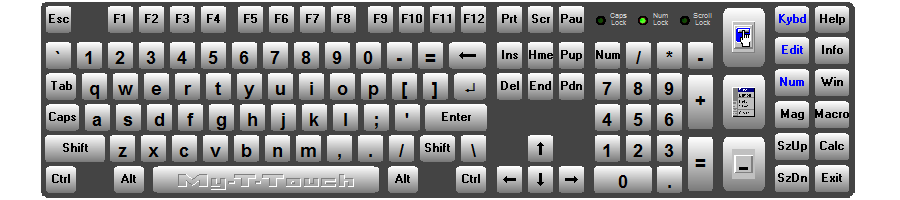
My-T-Touch®Touchscreen Keyboard Softwarefor the ultimate in Touch screen User InterfacesMy-T-Touch® now includes IMG's Build-A-Board Editor & Online Layout Database with thousands of layouts for the ultimate Touch screen Keyboard User Interface.My-T-Touch is a touchscreen keyboard software utility designed for commercial, kiosk, industrial & POS applications. It's the same software as My-T-Soft (but Mobile, Rugged Tablet, & Touchscreen OEM manufacturers prefer the name My-T-Touch) For Windows 11 / 10 / 8.1 / 8 (32 & 64 bit) please see My-T-Soft Utilities My-T-Touch provides a natural, intuitive extension to the touchscreen interface. It offers a touchscreen keyboard (on-screen keyboard emulation) that works with ANY Windows applications. It is ideal for network logons, security passwords, ID authentication, production quantity entry, notes, name entry, and a variety of other uses, especially big displays that require a large touchscreen keyboard. By allowing systems to operate without the need for a physical keyboard, external templates, plastic membranes, or buttons, My-T-Touch can provide the finishing touch on sealed systems that only requires the touchscreen interface for user input. For Terminal Server / Terminal Services, see My-T-Soft Terminal Server For Windows CE, Linux, or other O/S's, see the My-T-Soft Build-A-Board System For Custom Keypads and Panels, see Build-A-Board Keyboard Designer OEM/VAR Custom Versions and Site/Enterprise Licenses available. |
Features
Over 200 "Heads-Up Display" Infinitely Sizeable Touch screen Keyboards
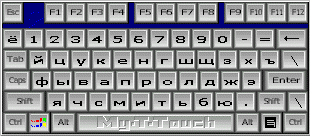
ABCD Alphabetical, QWERTY, 3 DVORAK's, and over 200 International layouts (Chinese, Japanese, Korean, German, Spanish, French, Hebrew, Russian (shown right in size 8), Greek, etc.) with Edit and Numeric panels.
Minimize Keystrokes, Mouse Clicks and Menu Selections
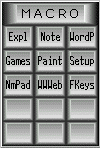
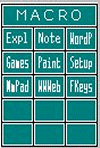
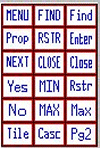
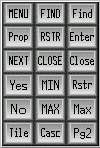
Store up to 2000 keystrokes/menu selections (or the applications macro scripts) on each button. Up to 15 buttons can be grouped on individual Panels, which auto-open when their assigned application becomes active.
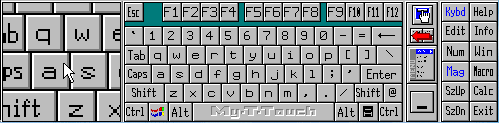
Shown Left (far): My-T-Touch with standard Macro panel open in size 9.
Shown Left (near): My-T-Touch with Macro panel open in size 7 with customized color option.
Shown Right (near): My-T-Touch with standard Windows panel open in size 9.
Shown Right (far): My-T-Touch with Windows panel open in size 7 with customized color option
Assignable Functions for Pointing Device Buttons
Assign any of 63 different functions to each button. Popular keys such as Shift, Esc, Enter, Ins, Ctrl, etc, can be assigned at anytime
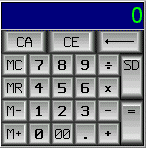
Pop-Up Calculator with pop-up Tape and Send Function
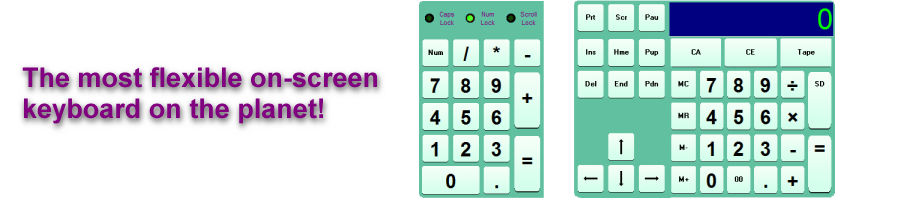
A standard 4 function calculator with memory, that always stays on top, has its own pop-up Tape and Send function that places the display information right into your current document or field.
Built in Magnifier
If necessary, a Magnifier panel can be displayed to show a magnified view of the current area (mouse cursor as center).
Developer friendly
Show & Hide keys, program keys in Key Options, Custom logo display, Operator mode, on-demand functionality. The SDK Developer's Integration Kit comes with all kinds of utilities, source code, sample code, and a wealth of information for integrating My-T-Touch with your own application.
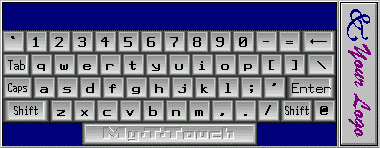
My-T-Touch Touch screen Keyboard with Show & Hide keys and custom logo over tool bar in size 9.
Customized Colors
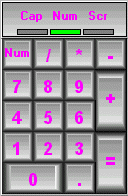
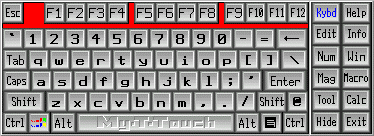
From Left: Num Keypad with custom colored text in size 10, My-T-Touch touch screen keyboard with custom colored background and control panel open in size 8. Color Support includes: Button text, Button face, Button highlight, Button shadow, and Keyboard background.
Customized Painting
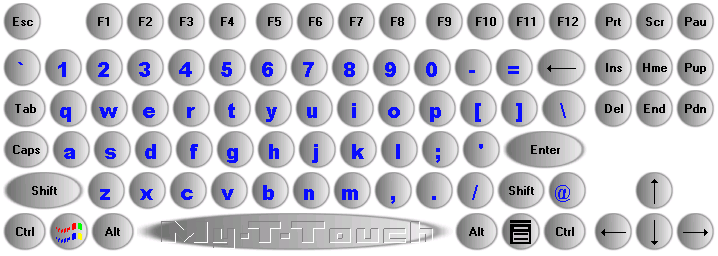
Using the Developer's Kit (1.78 Release 3) with My-T-Touch 1.78 Release 2, you can modify the default key background, paint the key background, and paint the key labels. By using internal key values & keyboard info, you can do small scale modifications, or large scale modifications to the visual display of My-T-Touch!
Build-A-Board Samples
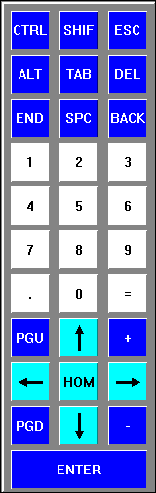
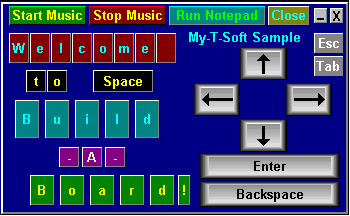
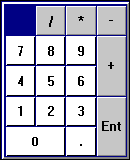
IMG's latest release of My-T-Soft, My-T-Pen, and My-T-Touch allows you to use custom touch screen keyboard layouts created with IMG's Build-A-Board Virtual Keyboard Designer.

Feature List
Seamless operation from Touch screen, Mouse, Trackball, Pen, or any other pointing device
Microsoft Windows 2000 / XP / Vista / 7 Compatible
Workstation / Network Logon Options
Developer Tool Kit and Extensions
Developer examples of integrating into existing applications
Supervisor / Operator Modes
Show & Hide Keys
Selectable Sizes
Realistic 3D graphics
Infinite Sizing
Support for Build-A-Board layouts - completely customizable user interface
11 panels, individually selectable, or create your own with Build-A-Board
Great for editing - Quick & Easy!
Special Windows Short-cut Touch screen Keyboard - Power Users Dream!
101 & 104 key layouts
Multiple Keyboard Layouts with ABC Layout for Non-Typists
International support - numerous keyboard layouts from around the world
Create Macro Keys & Panels
Specific Key & Key Combination Enable / Disable
Attach Executable programs to Keys & Key Combos or Window Activation
Includes the Calculator with Calculator Tape & Send Feature
Time & Date Display
Memory, Disk Space, Resources status Display
Completely Configurable for all of your needs
Built-In Magnifier
Color-code Panels for easy identification
On-line Quick Help for First-Time Users
Minimizes to a Button for convenient access
Once you use it, you won't want to live without it!
Keyboard not required (Just Say No... to your Keyboard.)
End-user and Developer Support
Specifications
On-Screen keyboard software written as standard Windows application- Compatible with all properly written Windows applications
- Developed in C/C++ - written at same level as Windows operating system for maximum capabilities
- Accesses Windows API via standard interfaces/System DLLs - No frameworks or special environment required
- Support for all Windows variations since Windows 3.0, including Windows CE
- Field proven technology since 1993
- Keyboard layouts as binary data files for minimal space requirements
- Fully emulates 101/104 physical keyboard
- 11 individually selectable panels, including Alpha keyboard, Edit, and Numeric keypad
- 12 base sizes, infinite larger sizes
- Over 200 US, international, and variation layouts
- Supports IMG's Build-A-Board Layouts
- Provides ability for user to operate without need for physical keyboard
- Operator mode for secure application integration
- Developer's Kit (SDK) for controlling and manipulating keyboard
- Sounds
- Transparency
- Windows logon options
- External Support utilities (Developer's Kit)
- Show/Hide keys to remove potentially undesirable keys/options (Alt, Control, Function keys, etc.)
- Key options to remap/modify key actions
- Macro panels for arbitrary/lengthy keyboard actions
- Custom views/colors/key images
- Supports themes for visual integration
- Integrates with IMG's Build-A-Board for complete customization capabilities
- Unique and specialized features to address customer needs
- Detailed help, documented options, on-line knowledgebase
- Advanced Technical support, programming, and program level integration assistance available
Technical Information
My-T-Touch is a standard Windows Application and does not require any special drivers, and should work with all pointing device (mouse, touchscreen, pen, HID, etc.) interfaces, along with keyboard and mouse emulation drivers that are compatible with the ones that ship with Microsoft Windows.
There are countless of configuration options, settings, and special features available that have been added by customer requests since the original product release in 1993. Refer to the User's Guide for release specific technical notes, product options, and complete documentation.
Order - My-T-Touch Touchscreen Keyboards
IMG's Build-A-Board Designer Editor, Online Layout Database, and
Programming Support are now included with your
My-T-Touch Professional, OEM, Site, or Enterprise License purchase! Please contact IMG Sales for more information.
- For Windows 11 / 10 / 8.1 / 8 (32 & 64 bit) please see My-T-Soft On-screen Keyboards
- For Windows CE (including .NET/SIP/Compact Embedded, please see My-T-Soft CE
- For Terminal Server / Remote Desktop on Thick or Thin Clients, please see My-T-Soft TS
- For Upgrades or Older Versions, please see our Annual Maintenance Support option or contact IMG Sales.
Download the My-T-Touch Touchscreen Keyboard Demo (includes SDK Developers Integration Kit)
Catalog #: 11561
Just want to license electronically? Download and install the software, then click on "Purchase License Now" from the software's License Manager!
For OEM, Integrator & Reseller Pricing or EndUser Single, Multi-Site, or Enterprise Licensing
(including Keyless Licensing, Image Ready integration, and Programming Integration Support),
please call 800-889-0987 (+1 818-701-1579) or contact IMG Sales
